
TL;DR: Quick Comparison
We tested and analyzed 7 leading SAST tools across detection accuracy, false positives, language support, CI/CD integration, compliance readiness, enterprise features, and pricing. Whether you're an AppSec engineer or a CISO, this guide should resolve majority of your doubts.
| Tool | Best For | Detection | Languages | SAST+SCA | SOC 2 | FedRAMP | Starting Price |
|---|---|---|---|---|---|---|---|
| ZeroPath | Best Overall | AI-native, context-aware | 30+ | Yes | Yes | No | $1K/mo + $60/dev/mo |
| Checkmarx | Best All-in-One Suite | Rule-based + AI triage | 35+ | Yes | Yes | High-Ready | ~$40K/yr |
| Snyk Code | Best for Integrations | Rule-based + AI-powered (DeepCode) | 19+ | Yes | Yes | Moderate ATO | Free–$25/dev/mo |
| Semgrep | Best Open Source | Pattern matching + AI | 40+ | Yes | Yes | No | Free–$35/dev/mo |
| SonarQube | Code Quality + Security | Rule-based | 35+ | Limited | Yes | No | Free–$20K/yr |
| Veracode | Regulated Industries | Binary + source analysis | 30+ | Yes | Yes | Moderate ATO | ~$15K/yr |
| Cycode | Supply Chain Security | Multi-scanner ASPM | 30+ | Yes | Yes | Ready | Contact sales |
Quick take:
- For enterprise teams that need reduced false positives, highest business logic vulnerability detection, and compliance automation (ISO 27001, SOC 2, PCI-DSS 4.0, NIST 800-53), ZeroPath is the strongest choice.
- If you need a single vendor for SAST, SCA, DAST, and container security with deep compliance reporting and 7+ data residency regions, Checkmarx covers the most ground. Though, this kind of vendor lock-in comes with pros and cons especially when vendors like ZeroPath have a higher detection rate, it might be hard to adopt just for SAST.
- For developer-first teams that want deep IDE integration (JetBrains, VS Code, Eclipse), container registry scanning (Docker Hub, ECR, Artifactory), and built-in IaC analysis, Snyk has the widest ecosystem.
- And if custom rules and open-source matter to your team, Semgrep is the best bet.
- For government and defense, only Veracode and Snyk have full FedRAMP Moderate ATO. Checkmarx is High-Ready but not yet authorized.
What is SAST (Static Application Security Testing)?
As much as we would like to dive right into our comparison, we would like to bring everyone on the same footing with getting some terms out of the way. First of which is SAST, or Static Application Security Testing. tools
SAST tools (also called static code analysis tools or application security testing tools) analyze your application's source code, bytecode, or binaries for security vulnerabilities, without ever running the program. Scanning happens early in development, often directly in your IDE or CI/CD pipeline, catching issues like SQL injection, cross-site scripting, and authentication bypasses before they hit production.
Think of it as a spell checker for security. Except instead of grammar mistakes, these code security tools are finding ways an attacker could break into your app.
If you're on the security leadership side, SAST is also becoming a default compliance requirement. PCI DSS 4.0 Requirement 6.2.4 now mandates automated code review for all custom software. NIST 800-53 SA-11 requires static analysis for federal systems. And cyber insurers are starting to ask about SAST tooling in their questionnaires.
How SAST works
The answer to this question has changed a lot in the last 5 years. Tools like ZeroPath have redesigned SAST engines from the ground up to be AI-native and context-aware. More on that later.
Most SAST tools follow a basic pattern:
- Parse the code into an abstract syntax tree (AST): a structured representation of what your code actually does
- Apply security rules: pattern matching, taint analysis, and dataflow tracking to follow user input from source to sink
- Report findings with file location, severity, and (ideally) a fix suggestion
- Modern AI-powered tools add a fourth step: using LLMs or ML models for context-aware analysis that understands code semantics, not just patterns
The biggest difference between SAST tools comes down to that last point. Traditional rule-based engines (Checkmarx, SonarQube) match known vulnerability patterns. AI-native tools like ZeroPath understand what your code is trying to do, which means they catch logic bugs that pattern matchers miss and flag fewer false positives in the process. If this piques your curiosity, you should read about how ZeroPath works behind the scenes.
SAST vs DAST vs SCA: What's the Difference?
It's likely that you have already run into these terms by now and they could be confusing. Here's how they differ:
| SAST | DAST | SCA | |
|---|---|---|---|
| What it scans | Source code / bytecode | Running application | Third-party dependencies |
| When it runs | During development | After deployment | During build / CI |
| What it finds | Code-level vulnerabilities (for example these vulnerabilities in FFmpeg) | Runtime vulnerabilities | Known CVEs in libraries (for example CVE-2025-59529) |
| False positive rate | Medium-High (rule-based) to Low (AI-powered) | Low | Low |
| Requires access to | Source code | Application URL | Package manifests |
| Example tools | ZeroPath, Checkmarx, Semgrep | OWASP ZAP, Burp Suite | ZeroPath, Snyk, Dependabot |
Do you need all three?
Yes. They catch completely different things.
SAST finds vulnerabilities you wrote: the SQL injection in your query builder, the broken auth check, etc. SCA finds vulnerabilities someone else wrote: the known CVE in that npm package you might have installed. DAST finds what both miss: the runtime issues that only show up when the application is actually running.
A mature AppSec program uses SAST + SCA + DAST at minimum. Several tools in this guide like ZeroPath, Snyk, Checkmarx, and Cycode combine SAST and SCA in a single platform, which cuts down on tool sprawl.
How to Choose the Right SAST Tool
Every company has their own priorities and expectations, so it's important that you sit down with your appsec team and discuss what's actually keeping you from shifting left and how you can accelerate it.
We have analyzed over 100 introductory calls including those we had with Fortune 500 security teams and it comes down to a certain few features that every enterprise expects from their SAST vendors. We have seen teams waste months evaluating tools on the wrong criteria, so hopefully this saves you some time.
1. Detection accuracy and false positive rate
This is the single most important factor. With the sophistication of modern attacks, it's not just about catching SQL injections anymore. In fact, IDORs have become much more common than ever. Your tool needs to find business logic vulnerabilities like broken authentication, authorization bypasses, and race conditions. Most rule-based engines simply can't do this because you can't write a regex for "this auth check is wrong."
This problem is also closely coupled with the false positive rate. Many tools have tried to catch more vulns but ended up flooding teams with noise. Checkmarx, Veracode, and Semgrep have all struggled with this because their rule-based engines flag anything that could be a vulnerability, regardless of context. AI-powered tools like ZeroPath take a different approach. They use AI models to figure out whether a flagged pattern is actually exploitable, which brings false positives way down.
2. CI/CD and developer workflow integration
Every competitive tool on this list integrates with GitHub Actions, GitLab CI, Azure DevOps, and Jenkins. What actually separates tools is developer-friendly integration: how deeply they fit into your workflow once they're connected, and how low the setup complexity is to get there:
- PR-level scanning: Does it comment inline on the exact lines with issues, or just pass/fail the build?
- Incremental scanning: Does it only scan changed files, or re-scan the entire repo every time?
- Policy gating: Can you block merges for critical/high findings but allow medium/low?
- Speed: A scan that takes 45 minutes breaks your CI/CD flow. Semgrep finishes in seconds. Veracode's full scan can take hours.
One thing that often gets overlooked is how closely does a team work with you to ensure your problems actually get solved and you are able to make the best out of the tool. Most SAST vendors take the self-serve approach. At ZeroPath, we understand how much security means to you. We sit down with every customer, walk through their repos, configure policies together, and stay in a shared Slack channel long after onboarding is done.
3. Custom rules and extensibility
Custom rules have always been a big part of getting more out of your SAST tool. The right set of rules can double your detection coverage. Traditionally, engineers would write vulnerability patterns and grep for them across the codebase.
Semgrep uses YAML-based rule format lets you write custom rules in minutes. Checkmarx has CxQL (powerful but steep learning curve). Most other tools offer some form of custom rules but with more friction.
As you might have guessed, this means you are writing a rule for every single edge case. It gets more and more complicated and harder to maintain over time.
With AI-native SAST engines like ZeroPath, you can now write rules in natural language. You describe any edge case to the engine and it takes care of the rest. This has enabled even non-security developers and non-technical teams to write rules for their codebases.
4. Language and framework support
As much as you would like to see a high number here, it might actually backfire. There's a difference between "we support Python" and "we deeply analyze Django ORM queries for SQL injection through template rendering." Many tools try to bloat this number for competitive purposes, so we would advise you to look deeper than the headline metric.
Enterprise tools like Checkmarx (35+ languages) and SonarQube (35+ languages) have the broadest coverage. Semgrep leads with 40+ languages but coverage depth varies. ZeroPath supports 30+ languages with deep analysis, and Snyk Code covers 19+ with ML-powered scanning.
5. Remediation guidance and auto-fix
With more and more developers moving to AI-assisted development, it's expected from SAST solutions to be able to generate one-click fixes. Most SAST tools have implemented some version of auto-fix but it largely varies across these 3 categories:
- "You have a vulnerability" (just a finding, no guidance)
- "Here's how to fix it" (explanation + code suggestion)
- "We fixed it for you, approve this PR" (automated remediation)
ZeroPath, Snyk, and Checkmarx all offer AI-powered auto-fix capabilities that generate pull requests with proposed fixes. SonarQube added AI CodeFix in 2025. Semgrep's Assistant can auto-triage findings and suggest fixes.
6. Scan speed and performance
It can be annoying to wait minutes for a PR scan to finish. But a fast scan doesn't necessarily mean it's a good one. Many fast PR scans are basically grepping for known vulnerability patterns, and even a slightly complicated bug can slip right through.
Here's roughly where each tool lands:
| Tool | Typical Scan Time | Why |
|---|---|---|
| Semgrep | Seconds | Pattern matching is fast. No deep dataflow in OSS tier. |
| Snyk Code | Under a minute | ML inference is quick. Cloud-based analysis. |
| ZeroPath | Under 2 minutes per PR | LLM-powered deep analysis takes more time but catches more. |
| Checkmarx | 5-30 minutes | Deep cross-file taint analysis. Improving with Checkmarx One. |
| SonarQube | 2-10 minutes | Depends on project size and rules enabled. |
| Veracode | 2-15 minutes | Limited scope scan. |
7. Compliance, reporting, and enterprise readiness
If you're in finance, healthcare, or government, compliance reporting isn't optional. And it's usually a pain. You need:
- OWASP Top 10 and CWE mapping on every finding
- SOC 2, PCI DSS, HIPAA, or FedRAMP compliance reports
- Executive dashboards with trend lines
- Audit trails showing who triaged what and when
- Framework mapping to PCI DSS 4.0 (Requirement 6.2.4 now mandates automated code review tools), NIST 800-53 (control SA-11), and for EU financial services, DORA
Most tools claim to support "all major frameworks" but the depth varies. Make sure they cover the specific ones you need.
Beyond the reports themselves, there's the enterprise infrastructure around the tool that IT executives and CISOs care about:
- SSO and RBAC: Can you enforce SAML/OIDC authentication and role-based access controls?
- Data residency: Where does your code go during scanning? If you're in the EU, GDPR requires you to know.
- GRC platform integration: Does the tool feed into your existing governance workflow?
- SLA monitoring and MTTR tracking: Veracode's 2025 data shows the average time to fix half of outstanding vulnerabilities is 252 days. Your SAST tool should help you track MTTR and enforce vulnerability SLAs. ZeroPath's enterprise dashboard tracks MTTR trends, SLA breaches, and risk deltas by business unit.
- FedRAMP: If you're in government or defense, only Veracode (Moderate ATO) and Snyk (Moderate ATO) are fully FedRAMP authorized today. Checkmarx is High-Ready but not yet authorized.
8. Pricing model and total cost
The way SAST tools price themselves varies wildly and it catches a lot of teams off guard.
- Per-developer/seat: Snyk ($25/dev/month), ZeroPath ($1,000/mo base + $60/dev/month), Semgrep ($35/contributor/month per product for paid tier)
- Per-application: Veracode (each app needs its own license)
- Lines of code: SonarQube (scales with codebase size)
- Flat enterprise: Checkmarx (~$40-59K/year base)
Most SAST vendors hide their pricing behind "contact sales" pages, making it impossible to compare costs without sitting through demos. Moreover, code volume has more than doubled in the last few years with AI-generated code, and tools that charge by lines of code or per-scan are seeing their bills skyrocket. Per-developer models are the most predictable, but you need to fully understand how a "developer" is counted. Snyk counts anyone who committed to a monitored repo in the last 90 days. For ZeroPath, we count only the developers who are going to be using the tool on a day-to-day basis.
The 7 Best SAST Tools in 2026
1. ZeroPath (Best Overall)
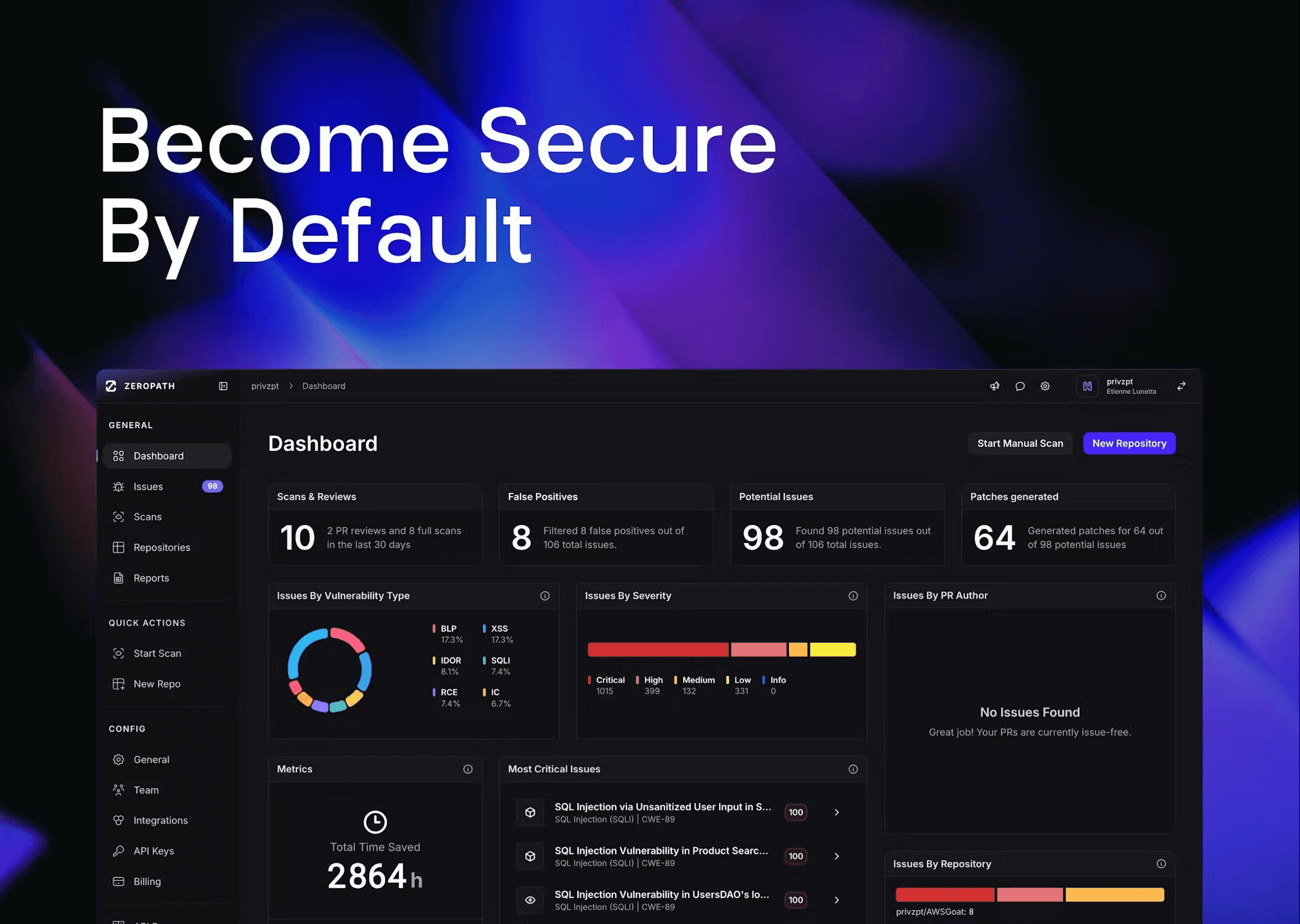
ZeroPath is one of the first fully AI-native application security platform, taking a fundamentally different approach to SAST: instead of pattern matching with static rules, it uses large language models to actually understand what your code does and whether it's vulnerable.
The result is a SAST engine that catches business logic vulnerabilities like broken authentication, authorization bypasses, and race conditions that traditional SAST tools simply can't detect.
Aptos Labs, one of the leading layer 1 blockchain platforms, chose ZeroPath after evaluating it head-to-head against Semgrep, Snyk, Aikido and more. During testing, ZeroPath surfaced a subtle replay-related vulnerability in a vendor library that none of the rule-based scanners caught. Andrea, their Head of Security, described the finding as looking "like something a person spent real time discovering." As he put it,
"We got really surprised... ZeroPath figured out improper usage of a library from a big vendor. It's not something you can easily get from a simple Semgrep rule."
Recent Developments
- Selected as a Top 10 Finalist for the RSAC 2026 Innovation Sandbox Contest, one of the most prestigious recognitions in cybersecurity
- Autonomously discovered 32+ vulnerabilities in major open-source projects:
- FFmpeg - 7 memory safety flaws including heap buffer overflows, integer overflows, and null pointer dereferences in protocol handlers and parsers
- curl - 170+ valid bugs spanning memory safety issues, logic errors, and edge case handling in a codebase that already runs Coverity, CodeQL, and OSS-Fuzz
- Better Auth - Unauthenticated API key creation (CVE-2025-61928), a broken authentication flaw that allowed complete account takeover
- OpenClaw - Credential theft vulnerability in ClawdBot enabling unauthorized access to stored credentials
- Recognized by Latio as a leading AI SAST tool. Latio's founder identified ZeroPath as one of the three biggest LLM-based SAST engines.
- Curl's maintainer Daniel Stenberg, who has been famously vocal against AI-generated bug reports, publicly said he was "almost blown away by the quality" of ZeroPath's findings with "actually truly awesome findings."
- Independent security researcher Joshua Rogers, who tested every major AI SAST tool on the market, called ZeroPath "the best product I tried... intimidatingly good at finding normal bugs."
Key Features
- LLM-powered context-aware analysis that understands code semantics, not just patterns
- Business logic vulnerability detection including auth bypasses, IDORs, race conditions and more
- Automated remediation with AI-generated pull requests for detected vulnerabilities
- Zero-configuration setup that takes under 5 minutes to kickoff your 1st scan
- Natural language policy engine for writing custom security rules without learning a DSL
- Combined SAST + SCA + secrets + IaC scanning in a single platform
- Transparent pricing that only charges for developers actually using the platform and not based on the line of code
- 1 step solution for importing scans from previous scanners like Snyk, Semgrep, Aikido and more
- IaC scanning for Terraform, CloudFormation, Helm, and Pulumi
- Jira, Linear and Slack integrations for ticketing and notification workflows
- Compliance automation with framework mapping to ISO 27001, SOC 2, PCI-DSS 4.0, and NIST 800-53. Immutable audit trail with signed SBOMs for auditor-ready evidence
- Enterprise dashboard with MTTR tracking, SLA breach monitoring, risk deltas by business unit, and executive reporting
- GRC integrations with Vanta, Drata, and ServiceNow for automated compliance evidence collection
- AI-specific vulnerability detection for prompt injection, training data exposure, and other LLM-related risks that emerge as teams build with AI. No rule updates needed since the engine adapts automatically
- On-premise deployment available for organizations with strict data residency and compliance requirements
- SSO/SAML via WorkOS with granular RBAC and multi-tenant support for MSPs
- Hands-on onboarding with every customer. A 24x7 Slack support channel even after onboarding for continuous support
Language Support
ZeroPath supports 30+ languages with deep analysis including Python, JavaScript/TypeScript, Java, Go, Ruby, PHP, C#, Kotlin, Swift, Rust, and more. Because the analysis is LLM-based rather than rule-based, adding new language support doesn't require building a separate rule set from scratch.
Pricing
ZeroPath starts at $1,000/month base plus $60/developer/month. Book a demo to see ZeroPath on your own codebase. We count only the developers actively using the tool on a day-to-day basis, not everyone who has ever committed to a repo or the lines of code.
Pros
- World class SAST and SCA which has highest detection for business logic vulnerabilities
- Strong community belief in the product
- Highly involved team which is available 24x7 for support and continuous help via slack even after onboarding ends
- In-depth PR scans that complete in under 2 minutes. Slower than Semgrep's sub-second scans but significantly more thorough.
- Deep support for languages like Rust, COBOL, Move and more that most SAST tools either ignore or only superficially cover.
- Proven ability to find logic vulnerabilities in niche domains like blockchain.
Cons
- IDE integration is still in early stages
Best for: Enterprise teams and AppSec engineers who are serious about finding business logic vulnerabilities with reduced false positives and comprehensive coverage across SAST, SCA, and secrets.
2. Checkmarx (Best All-in-One Security Suite)
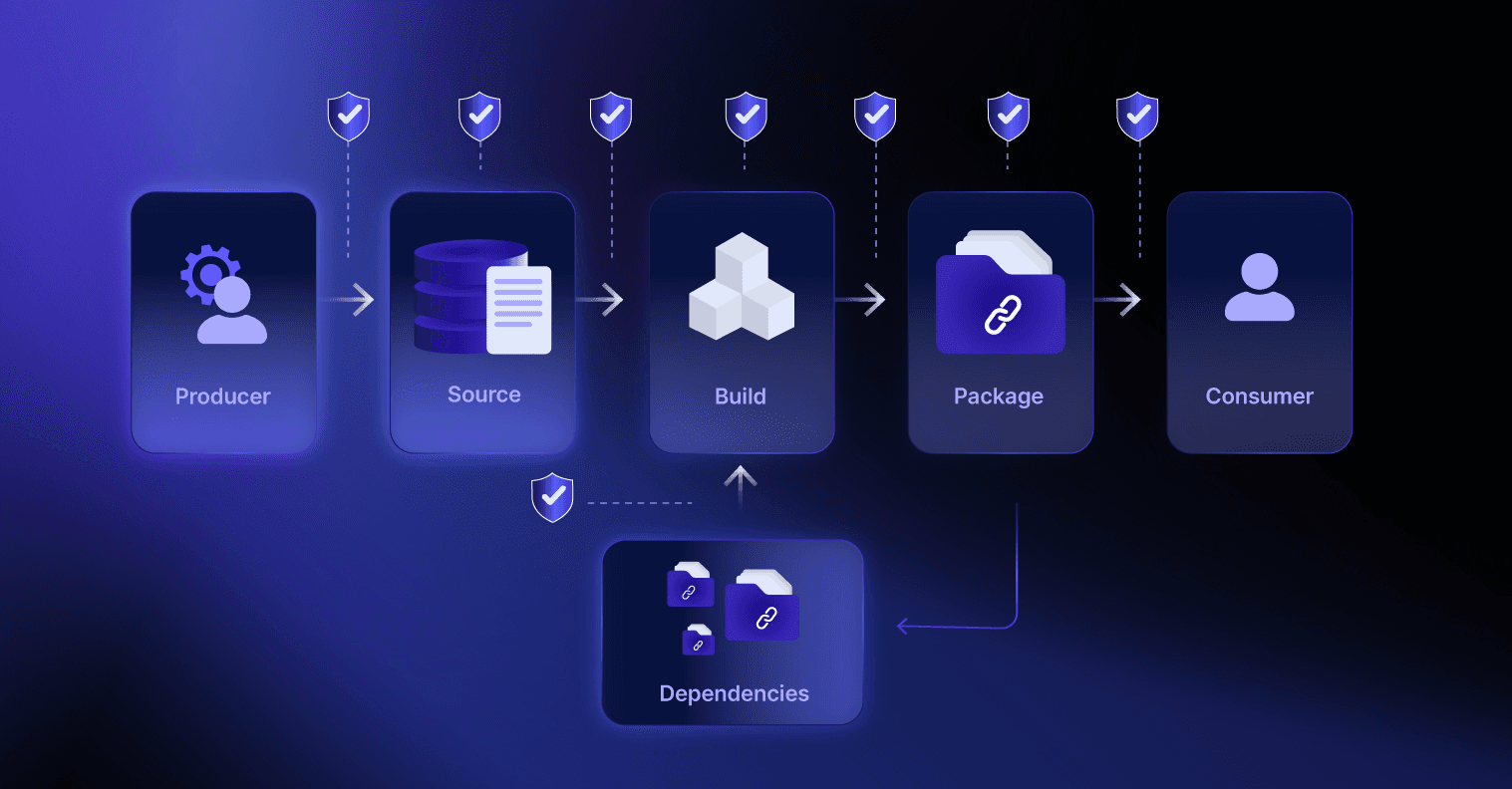
Founded in 2006 in Israel and acquired by Hellman & Friedman for $1.15B in 2020. If your security team has been around for a while, chances are they've used or evaluated Checkmarx at some point.
The platform is comprehensive. Checkmarx One combines SAST, SCA, DAST, IAST, API security, IaC scanning, and container scanning into a single platform with unified dashboards and compliance reporting. It's the closest thing to a "buy one vendor for everything" approach in the AppSec market.
Key Features
- Deep data flow analysis with interprocedural taint tracking across 35+ languages and 200+ CWE coverage
- Unified platform covering SAST, SCA, DAST, IAST, API, IaC, container, and secrets scanning
- CxQL custom rule language for writing detection rules tailored to your frameworks
- AI-powered Developer Assist for triage and remediation suggestions (added 2025)
- FedRAMP High-Ready (not yet full ATO) with 7+ data residency regions across US, EU, and APAC
- Deepest compliance reporting in the market: SOC 2, PCI DSS 4.0, HIPAA, FISMA, NIST 800-53, ISO 27001. Auditor-ready templates with full audit trail
- Enterprise access control with SAML SSO, SCIM provisioning, 8+ RBAC roles, and ServiceNow/Splunk/SOAR integrations
Language Support
Checkmarx supports 35+ languages and 80+ frameworks. It has particularly deep analysis for Java, C#, JavaScript, and Python. Enterprise languages like COBOL and ABAP are supported through the on-premises offering.
Pricing
Checkmarx does not publish pricing publicly. Based on industry data, enterprise licenses typically start around $40,000-$59,000/year for a base package. There is no free tier. Implementation often requires additional professional services investment.
Pros
- True all-in-one platform (SAST + SCA + DAST + IAST + API + IaC + container) reduces tool sprawl
- As an all-in-one platform, Checkmarx gives you the most comprehensive view of your security posture
- Supports legacy enterprise languages that most other SAST tools don't touch, like COBOL and ABAP
- FedRAMP High-Ready, which means if your company deals with government contracts or is working toward FedRAMP authorization, Checkmarx is one of the few vendors that's close to full compliance
Cons
- High false positive rate (~36%) that requires significant triage effort from security teams
- Slow scan times (25-45 minutes on full codebases) that make it impractical as a PR gate for many teams
- Expensive ($40K+ minimum) with no free tier, making it inaccessible for smaller organizations
- No detection for AI-specific vulnerabilities like prompt injection or training data exposure. As teams increasingly build with LLMs, this is a growing blind spot
Best for: Enterprises that need comprehensive, compliance-ready application security under one roof and can absorb the cost and complexity.
Frequently Asked Questions About Checkmarx
How much does Checkmarx cost?
Checkmarx does not publish pricing publicly. Based on industry data, Checkmarx One enterprise licenses typically start around $40,000-$59,000/year for a base package. Pricing scales with the number of users, applications scanned, and add-on modules. You'll need to request a custom quote from Checkmarx directly.
Is Checkmarx better than SonarQube for security?
Yes, for pure security scanning Checkmarx is significantly more capable. SonarQube is primarily a code quality tool where roughly 85% of its rules focus on code quality and only ~15% on security. Checkmarx is purpose-built for security with deep taint analysis, cross-file tracking, and compliance reporting. However, SonarQube is much cheaper and better suited if code quality is your primary concern. Many teams use both: SonarQube for quality gates and Checkmarx for security scanning.
Does Checkmarx support custom SAST rules?
Yes. Checkmarx allows custom query creation using its CxQL (Checkmarx Query Language). Enterprise teams can write rules tailored to their internal frameworks, coding standards, and proprietary APIs. However, CxQL has a steep learning curve compared to Semgrep's YAML-based rules and ZeroPath's natural language rules. If custom rules are a priority, the best option is to go with natural language rules supported by ZeroPath and other AI-native SAST engines.
3. Snyk Code (Best for Integrations)
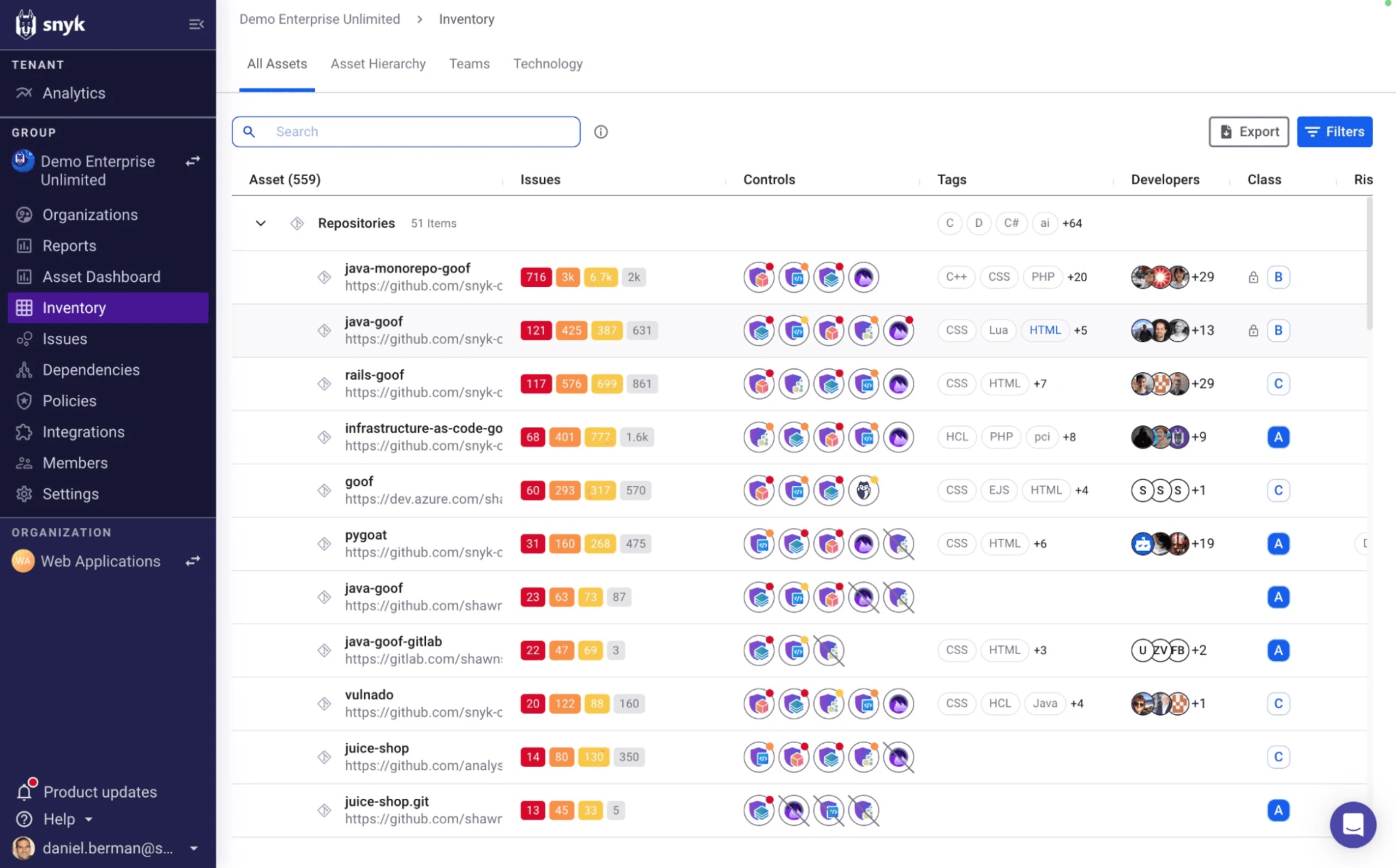
Started in 2015 as an SCA (dependency scanning) tool and has since grown into a full developer security platform. SAST capabilities came via the DeepCode acquisition in 2020, which powers "Snyk Code," their ML-based static analysis product.
Snyk's real strength is the breadth of its integration ecosystem. Beyond the standard GitHub/GitLab/Bitbucket support, Snyk integrates with JetBrains, VS Code, Eclipse, and Visual Studio for real-time scanning. It connects to container registries (Docker Hub, ECR, ACR, Artifactory), IaC platforms (Terraform, CloudFormation, Helm), and even AI coding assistants like GitHub Copilot and Gemini Code Assist. Being one of the oldest in the industry has given them enough time to build both horizontally and vertically.
Key Features
- ML-powered SAST (Snyk Code) with real-time IDE scanning and ~45-second PR scan times
- Industry-leading SCA with the largest proprietary vulnerability database
- 80% auto-fix accuracy on generated patches
- Container scanning for Docker, Kubernetes, ECR, GCR, and Artifactory
- IaC scanning for Terraform, CloudFormation, Helm, and Pulumi
- FedRAMP Moderate ATO with US, EU, and APAC data residency options. HIPAA BAA available
- Jira, Slack, ServiceNow, and Splunk integrations for enterprise ticketing and SIEM workflows
Language Support
Snyk Code supports 19+ languages including JavaScript/TypeScript, Python, Java, Go, Ruby, PHP, C#, Kotlin, and Swift. While the language count is lower than Checkmarx or Semgrep, Snyk's ML-based analysis provides strong coverage depth for supported languages.
Pricing
Snyk has a free tier with limited scans (200 SCA tests/month, 100 SAST tests/month). Team plans start at $25/developer/month. Enterprise pricing jumps to ~$110/developer/month ($1,260/year on the "Ignite" plan). Pricing can scale aggressively past 10 developers.
Pros
- Widest integration ecosystem in the market: JetBrains IDEs, container registries, IaC platforms, AI coding assistants, Jira, Slack
- 80% auto-fix accuracy with AI-generated patches, significantly ahead of competitors on automated remediation
- Fastest scan times among full-platform vendors (~45 seconds for PR scans)
Cons
- SAST (Snyk Code) is generally considered less mature than dedicated SAST tools like ZeroPath for catching complex custom code vulnerabilities
- Per-developer pricing scales quickly for larger teams, and the best features (reachability analysis) are locked to the most expensive tiers
- Detection logic is a black box. Custom rules are Enterprise-only and written in a proprietary DSL, unlike Semgrep's transparent YAML approach
- No native detection for AI-specific vulnerabilities like prompt injection or training data exposure. As more teams ship LLM-powered features, this becomes a real gap
Best for: Development-heavy organizations that want a unified platform across SAST, SCA, containers, and IaC with the widest integration ecosystem and fastest developer feedback loops. Also for teams who are primarily focused on SCA.
Frequently Asked Questions About Snyk
Is Snyk worth the price?
It depends on your use case. Snyk excels at SCA (dependency scanning). It's arguably the best in the market for identifying vulnerable open-source libraries. However, Snyk's SAST capabilities (Snyk Code) are newer and less mature than dedicated SAST tools like ZeroPath. At $25/developer/month (Team) to $110/developer/month (Enterprise), costs add up quickly for larger teams. Many developers report that free alternatives like Trivy + Dependabot cover ~80% of Snyk's SCA functionality at zero cost. Snyk is worth it if you need a unified platform, but may be overpaying if you only need SAST.
Does Snyk do SAST or just SCA?
Snyk offers both. It started as an SCA tool and later added SAST via "Snyk Code" (acquired from DeepCode in 2020). Snyk Code uses ML-powered analysis for real-time SAST scanning directly in the IDE and CI/CD pipeline. However, Snyk's SAST is generally considered less mature than its SCA product. If SAST is your primary need, purpose-built tools like ZeroPath, Checkmarx, or Semgrep may be stronger choices.
Snyk vs GitHub Advanced Security: which should I choose?
GitHub Advanced Security (GHAS) is a strong choice if your entire workflow is on GitHub. GHAS includes CodeQL for SAST, secret scanning, and Dependabot for SCA, all natively integrated. It's free for public repos and costs $49/committer/month for private repos. Snyk offers broader platform support (GitHub, GitLab, Bitbucket, Azure DevOps), stronger SCA depth, and more remediation guidance. Choose GHAS if you're GitHub-only and want simplicity. Choose Snyk if you need multi-platform support or best-in-class SCA.
4. Semgrep (Best Open Source / Best for Fast Scans)
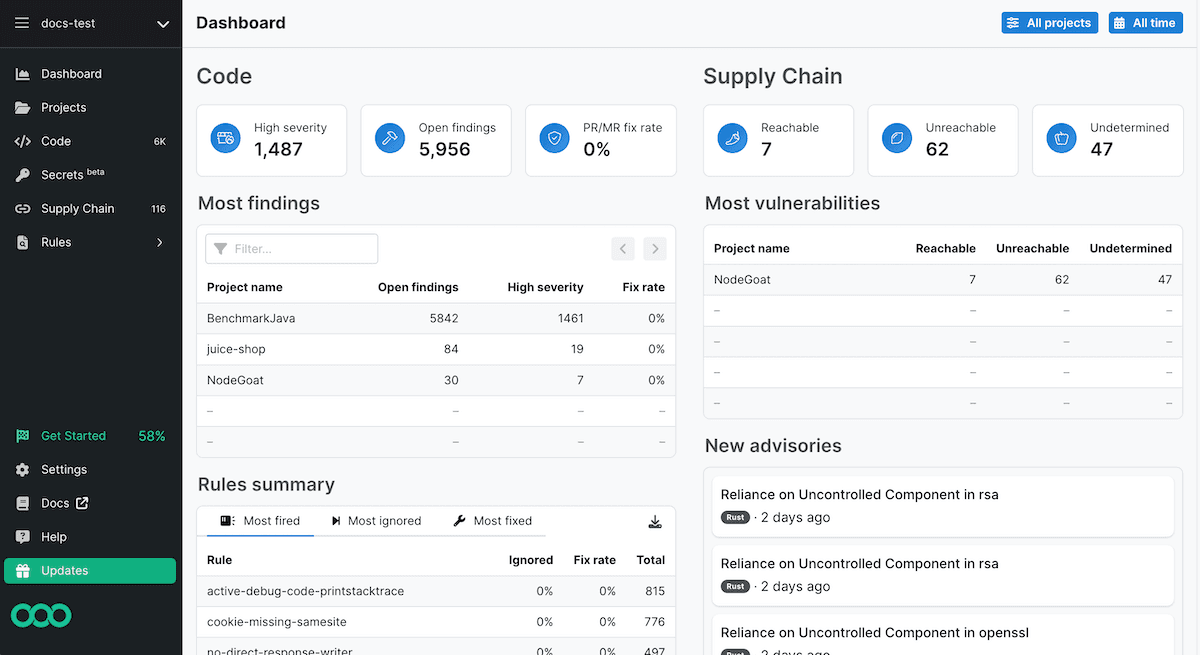
Founded in 2017 by R2C Inc. The tool started as a fully open-source project and quickly became a developer favorite for its speed, simplicity, and transparent rule format.
Semgrep's core pitch is quite simple: write security rules in YAML that look like the code you're scanning. No proprietary query language to learn, no black-box AI to trust blindly.
In January 2025, Semgrep changed the licensing on its core engine, which led to the Opengrep community fork. This has eroded some of the open-source trust that made Semgrep popular in the first place.
Key Features
- Blazing fast scans at 20,000-100,000 lines of code per second (typical PR scan finishes in seconds)
- YAML-based custom rules that developers can write and modify in minutes
- 3,000+ community rules in the Semgrep Registry
- Semgrep Assistant (AI-powered triage) that reduces false positives by 60% at 96% agreement rate
- Semgrep Supply Chain for SCA with reachability analysis
- 40+ language support with varying analysis depth
Language Support
Semgrep supports 40+ languages including Python, JavaScript/TypeScript, Java, Go, Ruby, C/C++, C#, Kotlin, Scala, PHP, Rust, and Swift. Coverage depth varies: some languages get full cross-file analysis (in Pro), while others are limited to single-file pattern matching in the free tier.
Pricing
The open-source Community Edition is free (LGPL licensed) with single-file analysis and community rules. Team tier is $35/contributor/month per product (Code, Supply Chain, or Secrets). Bundling multiple products increases the cost. Enterprise pricing requires contacting sales. The Opengrep fork maintains the free engine if licensing concerns arise.
Pros
- Fastest scanning in the market (seconds, not minutes) making it perfect for CI/CD integration without any developer friction. Though, that doesn't mean that they have the most comprehensive PR scans
- Transparent, customizable rules in human-readable YAML. You can write a custom rule in 2-5 minutes vs 60+ minutes for Checkmarx's CxQL
- Strong free tier and low-cost paid plans make it accessible for teams of any size
Cons
- OSS edition is limited to single-file analysis. Meaningful cross-file security analysis (taint tracking across files) requires Semgrep Pro
- YAML based rules are definitely better than Checkmarx's CxQL but at the same time less flexible than ZeroPath's natural language policies
- Default detection rate is lower than enterprise tools unless you spend time configuring custom rules.
- January 2025 licensing changes and the Opengrep fork have created uncertainty about the project's open-source future
- Rule-based architecture means no detection for AI-specific vulnerability classes like prompt injection or training data exposure. You would need to write custom rules for each new AI attack pattern manually
Best for: Budget-conscious teams, developers who want full control over their security rules, and organizations that value speed and transparency over deep enterprise analysis.
Frequently Asked Questions About Semgrep
Is Semgrep still open source?
Partially. In January 2025, Semgrep changed the licensing of its core engine, which led to a community fork called Opengrep. The open-source Community Edition still exists with single-file analysis and community rules. However, cross-file analysis, proprietary rules, and advanced features like Semgrep Supply Chain require a paid Semgrep Pro license. If you need a fully open-source SAST tool, Opengrep or tools like Bandit (Python-only) are alternatives.
Can I write custom Semgrep rules?
Yes, this is one of the Semgrep's biggest strength. Semgrep uses a YAML-based rule format that's much easier to write than traditional SAST rule languages. You can create custom rules in minutes to match patterns specific to your codebase, internal frameworks, or security policies. Semgrep also has a registry of 3,000+ community-contributed rules. Though, if you wish your rules to cover majority of edge cases, you might want to consider Zeropath's natural language rules.
How does Semgrep compare to Checkmarx?
They serve different segments. Semgrep is developer-first: fast, lightweight, open-source core, and great for teams that want to write custom rules. Checkmarx is enterprise-first: comprehensive compliance reporting, 35+ language support, and deep taint analysis, but slower and far more expensive ($40K+/yr vs Semgrep's lower entry point). Semgrep is better for DevOps teams that want speed and customization. Checkmarx is better for regulated enterprises that need compliance dashboards and audit trails.
5. SonarQube
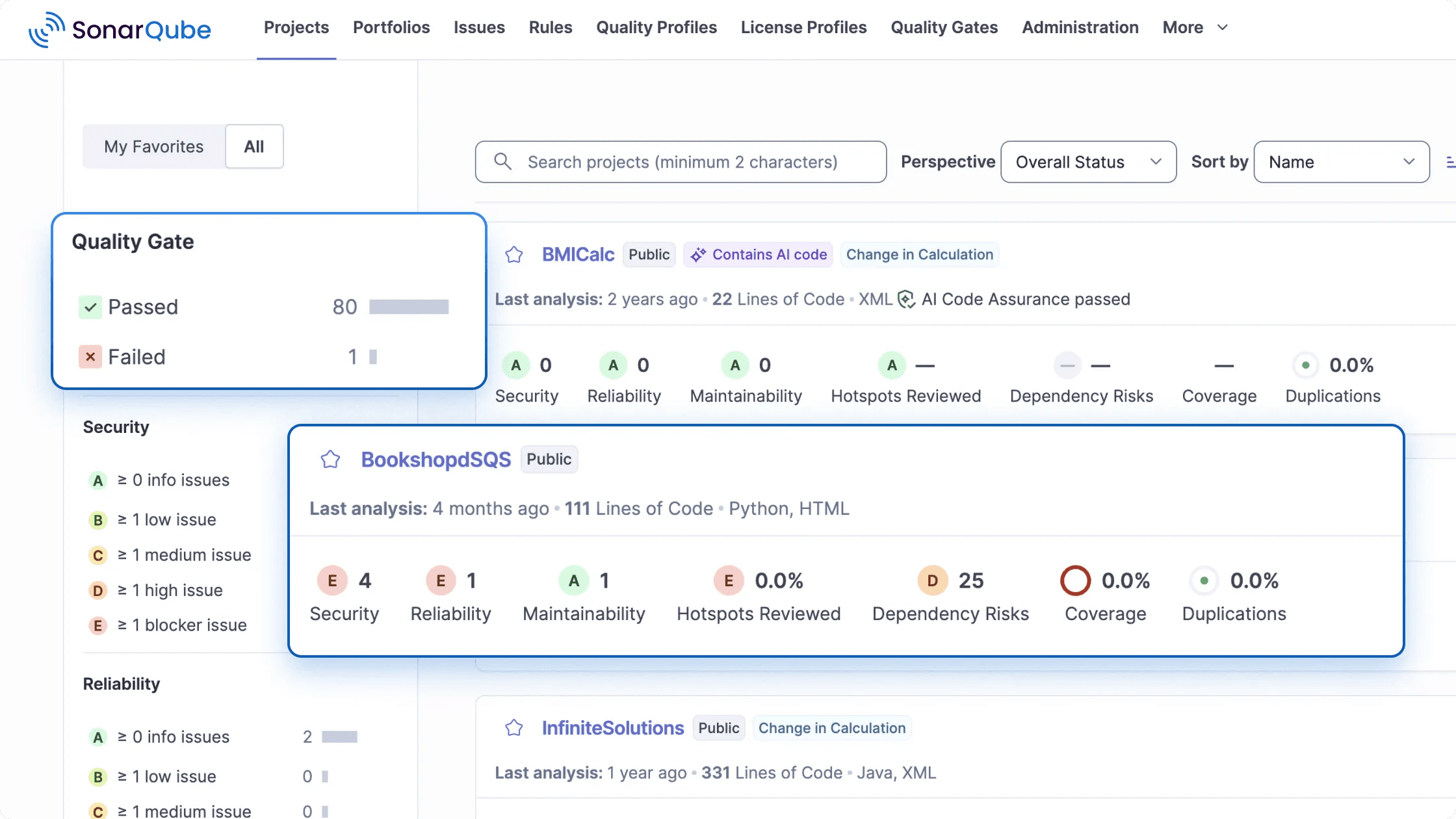
Founded in 2008 by SonarSource is of the most widely deployed code analysis tool. SonarQube is primarily a code quality tool, not a security tool. Roughly 85% of its rules focus on bugs, code smells, and maintainability. Only about 15% address actual security vulnerabilities. If you're evaluating it purely for SAST, you should understand that distinction.
That said, SonarQube added Advanced Security features in 2025 including cross-file taint analysis and SCA as a paid add-on. It's getting more capable on the security side, but it's still not a replacement for a dedicated SAST tool if security is your primary concern. We have seen high churn rate associated with SonarQube customers who are primarily dissatisfied with the low detection rates.
Key Features
- 35+ language support including enterprise languages like COBOL, ABAP, and RPG that most competitors don't cover
- "Clean as You Code" philosophy that focuses quality gates on new code rather than overwhelming you with legacy technical debt
- Free Community Edition with no user limits
- SonarLint IDE integration for real-time feedback in VS Code, JetBrains, Eclipse, and Visual Studio
- AI CodeFix (2025) for AI-generated fix suggestions
- Advanced Security add-on (2025) adding cross-file taint analysis and SCA
Language Support
SonarQube supports 35+ languages with particularly strong coverage for Java, C#, JavaScript/TypeScript, Python, and C/C++. It's one of the few tools that supports enterprise languages like COBOL, ABAP, Apex, PL/I, and RPG, which matters for legacy enterprises.
Pricing
SonarQube Community Edition is free and open-source. Developer Edition starts at ~$150/year. Enterprise Edition starts at ~$20,000/year for 5M lines of code. The Advanced Security add-on (SCA + advanced SAST) costs an additional ~$35,700/year on Enterprise. SonarCloud (the hosted version) offers a free tier for public projects.
Pros
- The most generous free tier in the market. Community Edition has no user limits and supports 30+ languages for code quality analysis
- Broadest enterprise language support (COBOL, ABAP, RPG) that most modern SAST tools don't touch
Cons
- It's a code quality tool first, security tool second. 85% quality rules vs 15% security rules means it's not sufficient as your only SAST tool
- SCA is only available as a paid add-on ($35,700/year extra on Enterprise), which nearly doubles the total cost
- Self-hosting SonarQube Server requires managing a JVM, database, and ongoing maintenance. Large monolithic apps can take 4.5+ hours to analyze
- No detection for AI-specific vulnerabilities. As a rule-based engine focused on code quality, SonarQube cannot catch prompt injection, training data exposure, or other LLM-related security issues
Best for: Organizations that need comprehensive code quality metrics alongside basic security scanning, and teams with enterprise languages (COBOL, ABAP) that other tools don't support.
Frequently Asked Questions About SonarQube
Is SonarQube a SAST or DAST tool?
SonarQube is technically a SAST tool, it performs static analysis on source code. However, it's primarily a code quality platform, not a security tool. About 85% of its rules focus on code quality (bugs, code smells, maintainability) and only ~15% on security vulnerabilities. It does not perform DAST. For security-focused SAST, dedicated tools like ZeroPath, Checkmarx, or Semgrep provide significantly deeper vulnerability detection.
Is SonarQube free?
SonarQube Community Edition is free and open-source for self-hosted use. It supports 30+ languages and covers basic code quality rules. However, the free edition does NOT include security-focused taint analysis, branch analysis, or security hotspot detection. Those require paid editions (Developer at ~$150/yr, Enterprise at ~$20,000/yr). SonarCloud (the hosted version) offers a free tier for public projects.
SonarQube Community vs Developer vs Enterprise: what's the difference?
Community (free): Basic code quality rules, 30+ languages, no security taint analysis, single-branch only. Developer (~$150/yr): Adds branch/PR analysis, security taint analysis, and security hotspot detection. Enterprise (~$20,000+/yr): Adds portfolio management, project transfer, multi-language analysis in single project, and SCA (added in 2025 as add-on at ~$35.7K/yr extra). For security scanning, you need at minimum the Developer edition.
6. Veracode
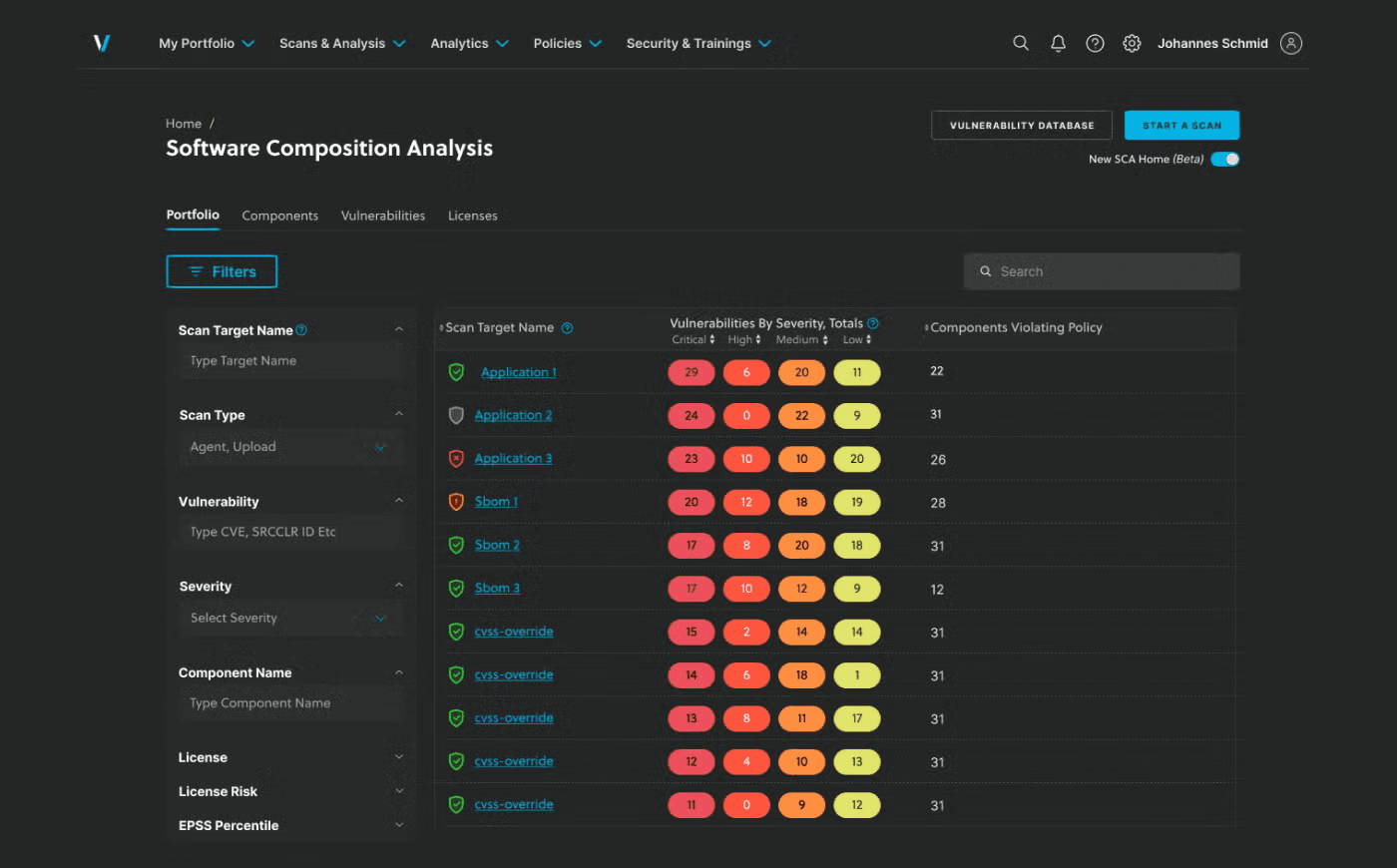
Founded in 2006 by former Stake Security engineers. They serve 3,000+ organizations across regulated industries with FedRAMP Moderate authorization.
What makes Veracode unique is its binary analysis approach. Unlike every other tool on this list that scans source code, Veracode analyzes compiled binaries and bytecode. You upload your JAR, WAR, DLL, or EXE file and Veracode scans it without needing access to your source. This means it can scan third-party, commercial, and legacy applications where you don't have source code access.
The trade-off here is speed. Veracode's full Policy Scan can take 1-8 hours for large applications, which makes it impractical for PR-level scanning. They offer a faster Pipeline Scan (2-15 minutes) but it has a 200MB file size limit and fewer features.
Key Features
- Patented binary/bytecode analysis that scans compiled code without source access
- Comprehensive platform covering SAST, DAST, SCA, IAST, manual pentest, container, and API security
- Veracode Fix for AI-powered automated remediation
- FedRAMP Moderate ATO (fully authorized since 2022) with US, EU, and US-Federal data residency regions
- Deepest compliance pedigree: SOC 2, ISO 27001, HIPAA BAA, PCI DSS 4.0, NIST 800-53. ServiceNow and Splunk integrations for enterprise GRC workflows
Language Support
Veracode supports 30+ languages including Java, .NET (C#), JavaScript, Python, PHP, Ruby, C/C++, Go, Scala, Kotlin, and Swift. Because it analyzes compiled bytecode, language support depends on the runtime/compiler target. It has particularly strong analysis for Java and .NET ecosystems.
Pricing
Veracode pricing starts at approximately $15,000/year and scales based on the number of applications scanned. Each application requires its own license, which gets expensive quickly for microservice architectures. Enterprise deployments can reach $200K+/year. No free tier is available.
Pros
- Binary analysis is a unique capability that lets you scan applications without source code access, great for third-party and legacy code
- Veracode's FedRAMP authorization makes it the safest choice for government and heavily regulated organizations
Cons
- Slow scan times: Policy Scan averages 8 minutes and can exceed 30+ minutes for large applications. DAST scans take 3+ days
- Cloud-only with no on-premises option. All binaries must be uploaded to Veracode's AWS infrastructure, which creates data sovereignty concerns
- Per-application licensing model is expensive for microservice architectures. No custom rule support (the engine is a black box)
- Binary analysis approach has no mechanism for detecting AI-specific vulnerabilities like prompt injection or training data exposure in LLM-powered applications
Best for: Enterprises that are still using legacy languages or are in highly regulated industries like financial services, healthcare, and government that need binary analysis capabilities and proven compliance certifications.
Frequently Asked Questions About Veracode
How long do Veracode scans take?
Veracode offers two scan types with very different speeds. Pipeline Scan: 2-15 minutes, but limited to 200MB file size and single-language analysis. Policy Scan (full): 1-8 hours depending on application size and complexity. Some large apps take even longer. This scan speed is Veracode's most common complaint among developers. For comparison, Semgrep completes in seconds and ZeroPath in under 2 minutes for most projects.
Is Veracode better than Checkmarx?
Both are enterprise-grade SAST leaders but they differ in approach. Veracode uses binary/bytecode analysis (you upload compiled code, not source), which means you don't need to configure build environments. Checkmarx scans source code directly, providing more granular results and custom rule support. Veracode is stronger in regulated industries and has lower false positive rates. Checkmarx offers more customization and faster scan times. Pricing is comparable ($15K-$50K+/yr range for both).
What languages does Veracode support?
Veracode supports 30+ languages and frameworks including Java, .NET, JavaScript, Python, PHP, Ruby, C/C++, Go, Scala, Kotlin, Swift, and more. Because it analyzes compiled bytecode rather than source code, language support depends on the runtime/compiler target. It has particularly strong support for Java and .NET ecosystems. For interpreted languages like Python or JavaScript, Veracode uses a separate source-code analysis engine.
7. Cycode
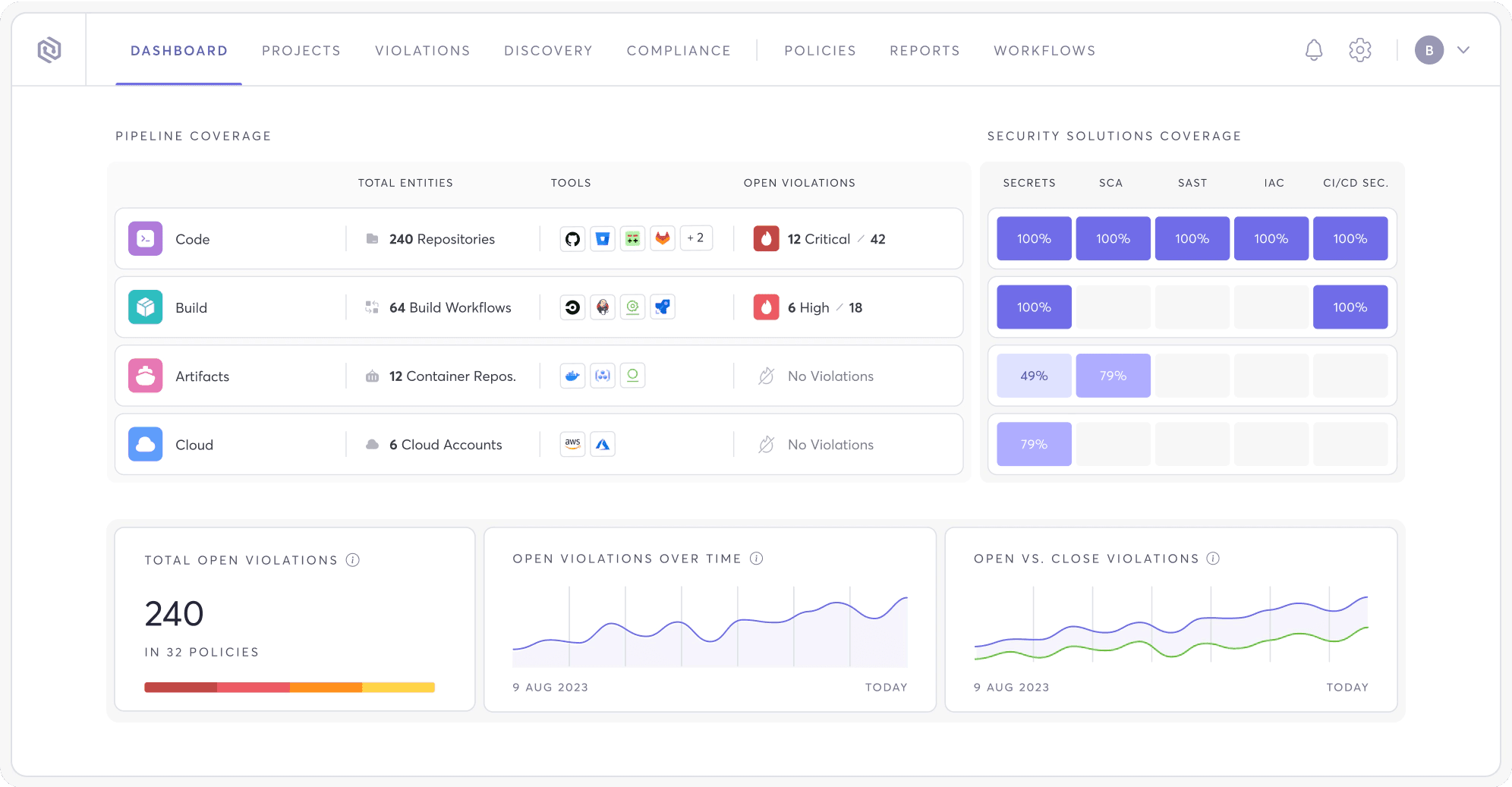
Founded in 2018 in Israel, acquired Bearer in 2024 for $10M to gain a native SAST engine and API discovery capabilities. Cycode doesn't position itself as just a SAST tool. It's an Application Security Posture Management (ASPM) platform.
The idea behind ASPM is simple: instead of using 5 different security tools with 5 different dashboards, you use one platform that aggregates, deduplicates, and prioritizes findings from all of them. Cycode's "Risk Intelligence Graph" correlates signals from SAST, SCA, secrets detection, IaC scanning, container scanning, and CI/CD pipeline security into a single risk-prioritized view.
But the tool is still maturing. User reviews mention bugs, limited integrations (especially AWS), and the product "still feeling like it's in development."
Key Features
- ASPM platform aggregating SAST, SCA, secrets, IaC, container, and CI/CD security into one view
- Risk Intelligence Graph for context-aware risk prioritization and 90% reduction in alert noise
- ConnectorX for 100+ third-party tool integrations
- CI/CD pipeline security with native posture monitoring and code tampering detection
- Change Impact Analysis to understand blast radius of code changes
- Native SAST engine (via Bearer acquisition) with AI-powered scanning
- Only vendor with explicit DORA compliance mapping for EU financial services. Also covers SOC 2, PCI DSS, HIPAA, NIST 800-53, and ISO 27001
Language Support
Cycode supports 30+ languages through its native scanner (acquired from Bearer) and third-party integrations. JavaScript/TypeScript, Python, Java, Go, Ruby, and PHP have the deepest coverage through the native engine.
Pricing
Cycode does not publish pricing publicly. It's positioned as an enterprise product with custom pricing. No free tier or trial is available without contacting sales.
Pros
- Risk Intelligence Graph provides genuine noise reduction (90% alert reduction claimed) by correlating signals across multiple scanners
- Only major ASPM with native CI/CD pipeline security monitoring and code tampering detection
Cons
- Product maturity is a real concern. Gartner reviewers note bugs, minimal logging, and heavy dependence on Cycode support for troubleshooting
- No free tier or trial. Opaque enterprise-only pricing prevents mid-market evaluation
- SAST engine (acquired via Bearer in 2024) is newer and less proven than Checkmarx, Semgrep, or ZeroPath's detection capabilities
- No detection for AI-specific vulnerability classes like prompt injection or training data exposure, which limits its usefulness as teams adopt LLM-powered features
Best for: Organizations focused on software supply chain security that want a unified risk view across multiple security tools and need CI/CD pipeline visibility.
Frequently Asked Questions About Cycode
What is Cycode's ASPM platform?
Cycode positions itself as an Application Security Posture Management (ASPM) platform: a unified dashboard that aggregates findings from multiple security scanners (SAST, SCA, secrets, IaC) into one view. Cycode acquired Bearer in 2024 to add a native SAST engine. The ASPM approach means Cycode can correlate findings across tools, reduce duplicate alerts, and provide risk-based prioritization. It's best suited for teams that already use multiple security tools and need a "single pane of glass."
How does Cycode compare to Snyk?
Snyk is more mature, more widely adopted, and has stronger individual product capabilities (especially SCA). Cycode's differentiator is its ASPM platform approach: aggregating multiple security signals into one view with risk-based prioritization. Snyk has a larger rule database, more language support, and better developer experience. Cycode may be a fit if you want a unified ASPM platform, but teams looking for best-in-class SAST or SCA will generally find Snyk or other dedicated tools stronger.
SAST Tools Comparison: Feature Matrix
We have split the comparison into two tables: one for developers and engineers evaluating the technical capabilities, and one for CISOs and security leadership evaluating enterprise readiness.
For Developers and Engineers
| Feature | ZeroPath | Checkmarx | Snyk Code | Semgrep | SonarQube | Veracode | Cycode |
|---|---|---|---|---|---|---|---|
| Detection Method | AI-native | Rule + AI triage | Rule + AI-powered | Pattern + AI | Rule-based | Binary + source | Multi-scanner |
| AI Auto-Fix | Yes | Yes | Yes | Yes | Yes | Yes | Yes |
| Languages | 30+ | 35+ | 19+ | 40+ | 35+ | 30+ | 30+ |
| CI/CD Integration | Yes | Yes | Yes | Yes | Yes | Yes | Yes |
| IDE Plugin | Early stage | Yes | Yes | Yes | Yes | Yes | No |
| SAST + SCA | Yes | Yes | Yes | Yes | Limited | Yes | Yes |
| Secrets Scanning | Yes | Yes | No | Yes | No | No | Yes |
| IaC Scanning | Yes | Yes | Yes | No | No | No | Yes |
| Business Logic Detection | Yes | No | No | No | No | No | No |
| AI Vuln Detection | Yes | No | No | No | No | No | No |
| Custom Rules | Natural language | CxQL | Enterprise DSL | YAML | XML/Java | No | Limited |
| Monorepo Support | Yes | Yes | Yes | Yes | Yes | No (per-app model) | Yes |
| SARIF Output | Yes | Yes | Yes | Yes | Yes | Yes | No |
| MCP Server | Yes (open source) | Yes (proprietary) | Yes (experimental) | Yes (beta) | Yes (GA) | No (community only) | No |
| 24x7 Direct Slack Support | Yes | No (ticket-based) | No (ticket-based) | No (ticket-based) | No (community/ticket) | No (ticket-based) | Yes |
| Approx. Price | $$ | $$$$ | $$ | $-$$$ | $-$$ | $$$$ | $$$ |
| Symbol | Annual Cost |
|---|---|
| $ | Under $5K/yr |
| $$ | $5-20K/yr |
| $$$ | $20-50K/yr |
| $$$$ | $50K+/yr |
For CISOs and Security Leadership
| Feature | ZeroPath | Checkmarx | Snyk Code | Semgrep | SonarQube | Veracode | Cycode |
|---|---|---|---|---|---|---|---|
| SSO (SAML/OIDC) | Yes | Yes | Yes | Yes | Yes (Enterprise) | Yes (SAML only) | Yes |
| RBAC | Yes | Yes | Yes (Enterprise) | Yes | Limited (Enterprise) | Yes | Yes |
| SOC 2 Type II | Yes | Yes | Yes | Yes | Yes | Yes | Yes |
| FedRAMP | No | High-Ready | Moderate ATO | No | No | Moderate ATO | Ready |
| On-Prem Deployment | Yes | Yes | No | No | Yes | No | No |
| Data Residency | US | US, EU, APAC (7+ regions) | US, EU, APAC | US, EU | US, EU | US, EU, US-Fed | US, EU |
| Compliance Mapping | ISO 27001, SOC 2, PCI-DSS 4.0, NIST | ISO 27001, SOC 2, PCI-DSS, NIST, HIPAA | SOC 2, PCI-DSS, NIST, HIPAA | SOC 2, PCI-DSS, NIST | SOC 2, PCI-DSS (Enterprise) | SOC 2, PCI-DSS, NIST, HIPAA, FedRAMP | SOC 2, PCI-DSS, NIST, HIPAA, DORA |
| ServiceNow | Yes | Yes | Yes | No | Yes | Yes | No |
| GRC Platforms | Vanta, Drata | Limited | Limited | No | No | No | No |
| SIEM (Splunk/Datadog) | Yes | Yes | Yes | Yes | Yes | Yes | No |
| SLA Monitoring / MTTR | Yes | Yes | Yes | Basic | Basic | Yes | Yes |
| Audit Trail | Immutable, signed | Yes | Yes | Basic | Yes (Enterprise) | Yes | Yes |
| Executive Dashboards | Yes | Yes | Yes | Basic | Yes (Enterprise) | Yes | Yes |
How Much Do SAST Tools Cost?
SAST pricing is all over the place. Here's what you're actually looking at.
| Tool | Team/Startup | Enterprise | Pricing Model |
|---|---|---|---|
| ZeroPath | $1K/mo + $60/dev | Contact sales | Base + per-developer |
| Checkmarx | N/A | ~$40-59K/yr | Flat license |
| Snyk Code | $25/dev/mo | ~$110/dev/mo | Per-developer |
| Semgrep | $35/contributor/mo (per product) | Contact sales | Per-seat |
| SonarQube | From $150/yr | From $20K/yr | Per-instance (LOC) |
| Veracode | N/A | $15K-200K+/yr | Per-application |
| Cycode | Contact sales | Contact sales | Custom |
What to watch out for
Per-developer pricing (Snyk, ZeroPath, Semgrep) is the most predictable. But check how "developer" is defined. Snyk counts anyone who committed to a monitored repo in the last 90 days. ZeroPath counts only active users of the tool. That difference can mean 3x the cost for the same team.
Lines-of-code pricing (SonarQube) gets expensive fast. With AI-generated code doubling output, your bill grows even if your team doesn't.
Per-application pricing (Veracode) is brutal for microservice architectures. If you have 50 services, you need 50 licenses.
Flat enterprise licenses (Checkmarx) give you predictability but the entry point is $40K+. And that's before professional services for implementation.
Frequently Asked Questions About SAST
What is AI-powered SAST?
AI-powered SAST tools use machine learning or large language models to analyze code semantics beyond simple pattern matching. The benefits are fewer false positives (the AI understands context), detection of logic vulnerabilities that rule-based tools miss, and automated fix suggestions. Tools like ZeroPath use LLMs natively in the detection engine, while others like Snyk Code use ML models and Checkmarx uses AI primarily for triage and prioritization.
Can SAST tools detect logic bugs?
Traditional rule-based SAST tools struggle with logic bugs because they match patterns, not intent. AI-powered SAST tools are better at catching logic flaws like broken authentication checks, race conditions, and authorization bypasses because they understand code semantics. However, no SAST tool catches all logic bugs. Manual code review, penetration testing, and DAST remain essential for comprehensive coverage.
How do I reduce SAST false positives?
Start with a tool that has a low baseline false positive rate. AI-native tools like ZeroPath tend to have lower FP rates than traditional rule-based engines. Then: tune severity thresholds to focus on critical/high issues, suppress known-safe patterns, use baseline scans to surface only new findings, and integrate SAST into PR reviews so developers triage findings in context rather than reviewing bulk reports.
Is SAST enough for application security?
No. SAST catches source-code vulnerabilities but misses runtime issues (use DAST), known dependency CVEs (use SCA), infrastructure misconfigurations (use IaC scanning), and hardcoded secrets (use secrets scanning). A mature AppSec program uses SAST + SCA + DAST + secrets scanning at minimum. Several tools in this guide (ZeroPath, Snyk, Checkmarx, Cycode) offer multiple scanning types in a single platform.
Can SAST be used in CI/CD pipelines?
Yes. All 7 tools reviewed here integrate with CI/CD systems including GitHub Actions, GitLab CI, Jenkins, and Azure DevOps. Most offer CLI tools, pre-built pipeline actions, and PR commenting. The key differentiator is scan speed: Semgrep completes in seconds, ZeroPath in under 2 minutes, and Veracode's full scan can take hours. For CI/CD use, prioritize tools with incremental scanning and fast feedback loops.