Introduction
ZeroPath now automatically and continuously models threats to your application. Automatic threat modeling gives security teams a clear line of sight across applications, so you can focus your resources where they matter.
The Problem
Threat Modeling is one of the least practiced activities in AppSec because the traditional versions don't survive contact with modern development: a multi-day whiteboard exercise, a diagram exported to a wiki, a document that's stale by the next sprint. And even a good threat model traditionally changes nothing about your tooling. Your scanner doesn't read the wiki, and neither do your coding agents.
Today we're changing that. ZeroPath now generates a structured threat model for every application it identifies in your repositories, and uses it to keep what you build aligned with how you intended, everywhere code enters your system. You can review and edit it in the new Threat Model tab, available now in early access.
We think Steve from EnergyHub put it best when he said:
"Every time somebody deploys a new endpoint or a new feature it's like, 'Oh, do I have to redo a whole d**n threat model?' That's why I'm so excited about this, because it effectively turns threat modeling into a continuous practice."
Steve, EnergyHub
One Model, Used at Three Points
The threat model is the context engine behind every scan ZeroPath runs:
- As agents write code. ZeroPath integrates with AI coding tools to scan code as it's being produced, before a pull request even exists, using the application's threat model as context.
- At the pull request. Every PR is evaluated against the application's real auth model, trust zones, and assumptions rather than generic patterns.
- Across the full repository. Full scans regenerate and refine the model, then use it for triage, reachability, and dynamic testing.
This gives security teams governance: making sure the application is built the way it was intended, automatically, at every point code lands.
Why Build Context Up Front?
You could, in theory, ask a model to re-derive your entire application's architecture on every scan. In practice, that's neither reliable nor affordable, and it's part of what makes many AI SAST tools ineffective.
Our customers see it the same way. Pedro at comp.vc, after evaluating ZeroPath against alternative approaches:
"What I like about ZeroPath's approach is that it builds application context up front through the threat model and graph, instead of trying to infer everything from each PR in isolation. That gives me more confidence in the findings and helps reduce false positives. I think this is the right direction for security analysis, because understanding the system context is both more practical and more cost-effective than expecting models to reason over the full application from scratch every time."
Pedro, comp.vc
Knowing that ZeroPath has decomposed the application into inspectable pieces makes the results easier to validate and trust. Investigations stem from a deep understanding of your entire codebase, rather than from single lines.
What ZeroPath Generates
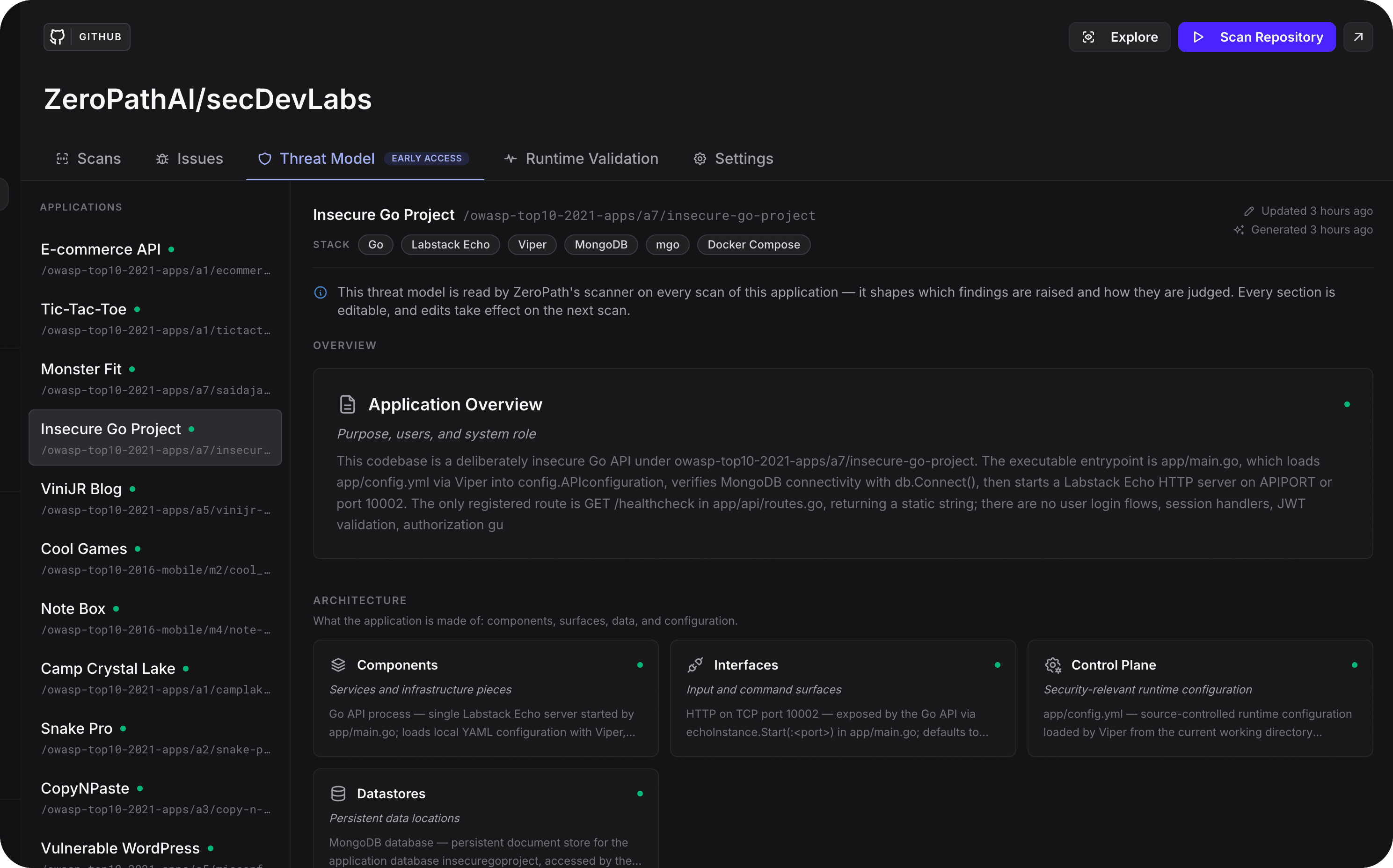
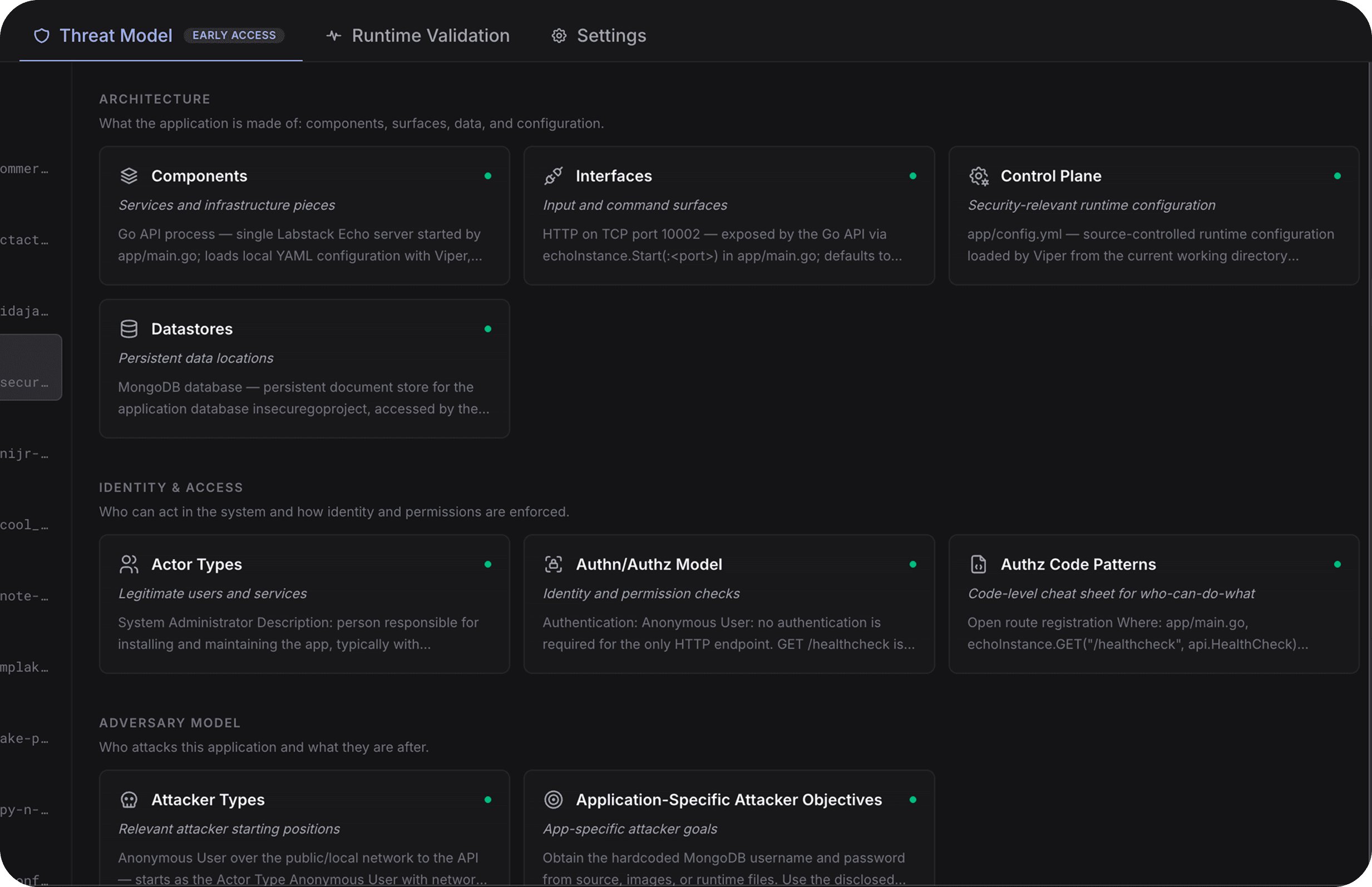
During full scans, ZeroPath identifies the applications in a repository (including multiple applications inside a monorepo) and builds a threat model for each one. Every threat model includes an application overview plus structured sections:
- Components: services and infrastructure pieces
- Interfaces: HTTP handlers, jobs, CLIs, webhooks, queues, and other entry points
- Actor Types: legitimate users, services, and integrations
- Authn/Authz Model: identity, authorization, tenancy, and permission rules
- Control Plane: security-relevant configuration and operational controls
- Attacker Types: realistic attacker starting positions
- Attacker Objectives: the goals that actually matter for this application
- Datastores: where persistent data lives and how sensitive it is
- Assumptions: deployment and architecture facts that the scanner should rely on
- Out of Scope: code paths, environments, or concerns to exclude
If your team has context that doesn't fit a fixed section, you can add custom sections.
These sections aren't bound to any single methodology. They distill the standards practitioners already trust (STRIDE, OWASP ASVS, MITRE ATT&CK, and LINDDUN) into plain language you don't have to be fluent in to use. Building this taught us something counterintuitive: the more general the attributes, the better a model reasons over them across wildly different stacks. So we deliberately keep the representation broad and generalized, and that's exactly what makes one threat model portable across applications and legible to people and AI alike.
The Part That Matters: The Scanner Reasons With the Threat Model
Most security documentation is write-once, read-never. ZeroPath's threat model is different in one fundamental way: it feeds back into the analysis itself.
When you correct an auth assumption, mark a legacy path out of scope, or define a trust-zone boundary, that context flows into:
- SAST triage: findings are evaluated against how your application actually authenticates, authorizes, and isolates tenants
- SCA reachability: out-of-scope subtrees and trust boundaries shape reachability verdicts and transitive dependency triage, so dependencies in areas you've explicitly excluded stop generating noise
- Dynamic Testing: the same application context decides how ZeroPath exercises a deployed target
- Prioritization: realistic attacker types and objectives inform which findings deserve attention first
The result is a scanner that becomes more aligned with your application over time, rather than one you fight with suppression rules.
See How ZeroPath Sees Your Application
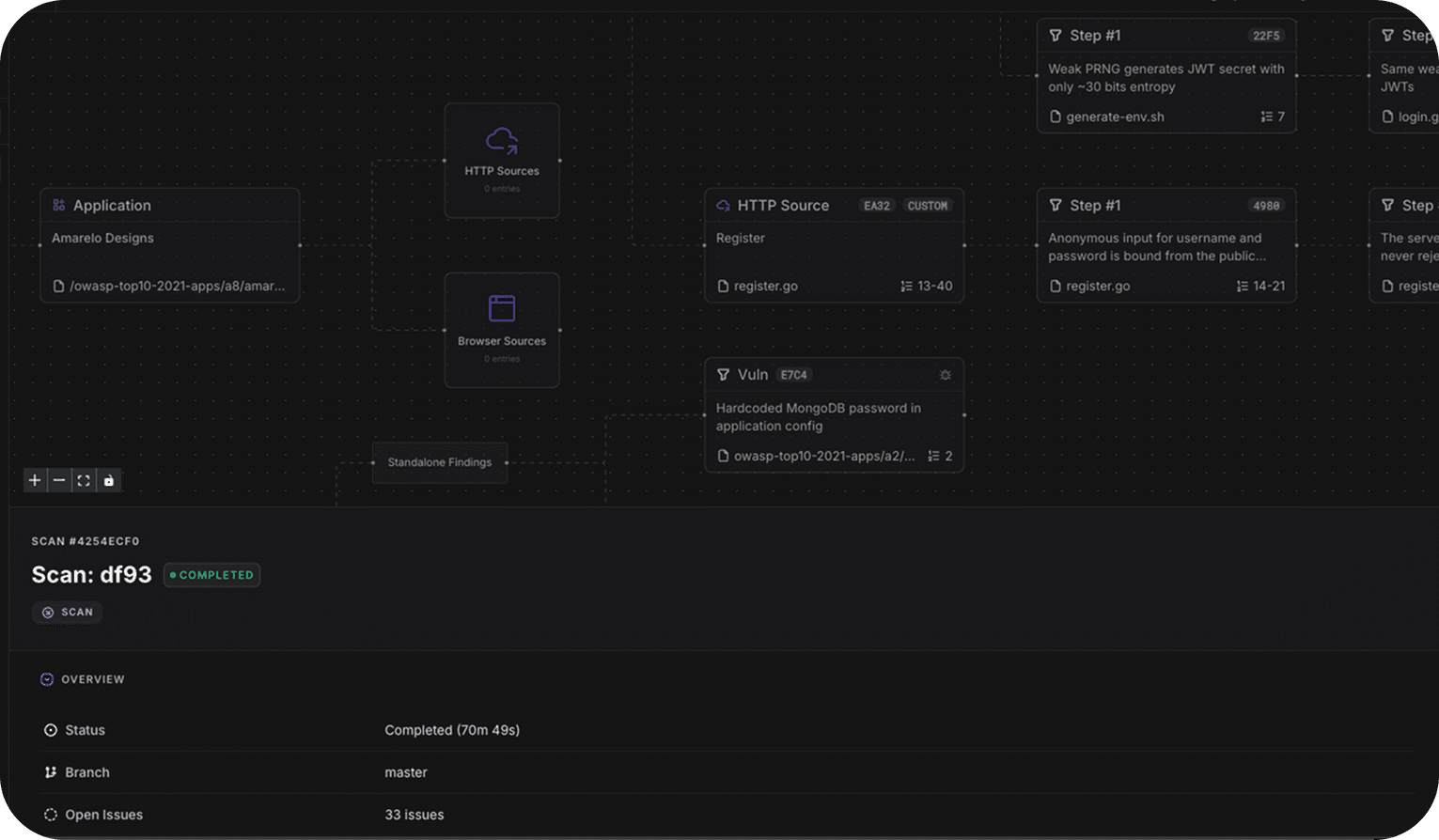
The Threat Model tab also gives you the clearest picture of what ZeroPath is doing behind the scenes: the applications it has enumerated, how input originates and flows through them, and where vulnerabilities sit in that flow. You may not live in this view day to day, but it's how you verify that the scanner's understanding of your system matches reality, and it's why the verdicts are easier to trust.
A Living Model, Not a Point-in-Time Artifact
Because threat models regenerate with full scans and accept your edits, they stay current with the application you actually operate. We recommend updating yours when:
- authentication flows are added or removed
- a new tenant boundary, role model, or admin surface is introduced
- a new datastore or sensitive data type becomes relevant
- a scan produces findings that reflect a wrong assumption about deployment
Each edit makes every subsequent scan smarter.
Getting Started
The Threat Model tab is available now in early access. If you're already using ZeroPath:
- Open any repository and run a full scan (the tab appears once at least one application is identified).
- Select the Threat Model tab and review what was generated.
- Correct anything that's wrong, fill in what's missing, and save; future scans use the updated context.
If you're not yet on ZeroPath, book a demo to see how an application-aware scanner changes what "signal" means. Most teams are scanning within five minutes of connecting GitHub.
Read the docs → zeropath.com/docs/platform/threat-model
ZeroPath is the AI-native application security platform that autonomously finds, verifies, and fixes exploitable vulnerabilities, consolidating SAST, SCA, secrets, and IaC into a single reasoning engine.